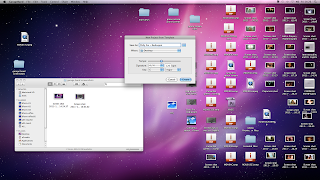
I uploaded the new clips onto the computer converted them from .mov files to .mpeg files so that they were able to be used in Adobe Premiere, to which i then imported them. The next thing i had to do was sort through the clips, and then drag the clips onto the sequence. Once they were here, using the razor tool, i cut them to the length that was needed, and got rid of the un-needed footage. I then reduced the sound on the clips to 0 by dragging the yellow decibel line downwards, which meant that when the video was played, the sound from the song seemed as though it was the sound in the actual video.
Lauren Wright
Thursday, 1 December 2011

CONSTRUCTION- Second Day of Filming
We did our second day of filming on 30th November in the afternoon. We filmed at Samamtha & Alex's dad's house, in the bedroom. We created a party scene with me, Samantha, Alex & Susan. We used props such as bottles of alcohol, make-up and made the room look messy so that it look as though there was a party there. During the party scenes we filmed Samantha lip-syncing the song. To aid her in doing so we played the song in the background. This made the timing more accurate.
We had to make sure that Samantha wore the same outfit from the first day of filming. One of the problems we encountered was poor lighting we had to adjust the lights in the room and open the curtains to make sure the lighting was good and the filming that we did could be used.
Lauren Wright
Lauren Wright
CONSTRUCTIONN - Website


The title of the page was 'Welcome To Katy Perry's Website'.

To create a new page for the 'Bio', you go to File>NewPage. Then, you rename the page.

This is the 'Bio' page. I have included the title 'About Katy'. On the left side, I have inserted a text box with information about Katy Perry and on the right, I have included a picture of the artist.

Here is the the page for the radiospot.
To include the radiospot in the website you have to make it into a video. To do so, you put the radiospot into Adobe Premiere with an image of the artist. Then you upload it onto Youtube and then onto the website on iWeb.


This is the page for the images we took whilst filming the video. We have placed them in a slideshow so that it is easier for the user to scan through the pictures.
We have used the same theme of 'Cloud 9' throughout the entire website to keep consistency and make sure that the website reflects the image we are trying to portray for the artist and also to make the website look professional.
Lauren Wright
Monday, 28 November 2011
CONSTRUCTION - First editing session
The first editing session required a fair amount of work, since there was a lot to upload and set up. I started of by exporting the film into AdobePremier Pro then edited the clips from there. There were various gaps in the music video having only filmed shots of Samantha by herself. However I still managed to produce a good piece of editing as the music was in sync with the lip syncing and the shots flowed well together. Overall the editing went quite well and was done fairly quickly. Also, since this was the first day of editing I had to download the 'I kissed a girl' sound track from youtube then convert it into an mp3 file in order to export it into Adobe. To d this I used a website called 'video2mp3'.
Samantha Eneli
Samantha Eneli
Friday, 25 November 2011
CONSTUCTION - First day of filming
Today we did 8 stages of the story board, we focused on the first bit of the song where we filmed quick shots of the aftermath of the party such as, drink bottles and pillows. We made sure that all scenes linked not only with eachother but with the song. Seeing as we did not have all group members present we could only film scenes that didn't need all of us, which is why I was not part of todays filming as I was part or the scenes thay involved everyone. To make sure all the scenes would be in syn with song I played I kissed a girl. To ensure the music video was not boring we used a range of different shots such as low angle and high angle shots. We didn't really struggle with anything as everything was quite straight forward. The easiest thing about todays filming was filming the beginning of the music video as all we had to do was film a variety of shots from the party.
By Alexandra Eneli
By Alexandra Eneli
Friday, 18 November 2011
CONSTRUCTION - Radiospot - Step By Step
 |
| To create the radio spot, we opened Garageband and started a new project using the 'Voice' option. |
 |
| It was then saved as 'Chify Fm - Radiospot' |
 |
| To add a voice recording, you click the round record button at the bottom of the screen. There are different types of effects that can be used on the voice recordings. We decided to use 'Female Basic' for our first recording. |
 |
| To add sound effects to the intro of the radiospot, we used 'Communication Static' followed by 'Club Dance Beat 049'. |
 |
| Finally, we added the song to the radiospot after the conversation between the radio DJ's and the listener. We placed the song slightly under the ended of the conversation so that it flows into the song easily and gradually gets louder.
Lauren Wright
|
CONSTRUCTION- Radiospot - Video
By Lauren Wright
Subscribe to:
Posts (Atom)